




Workday Integration Resource Center
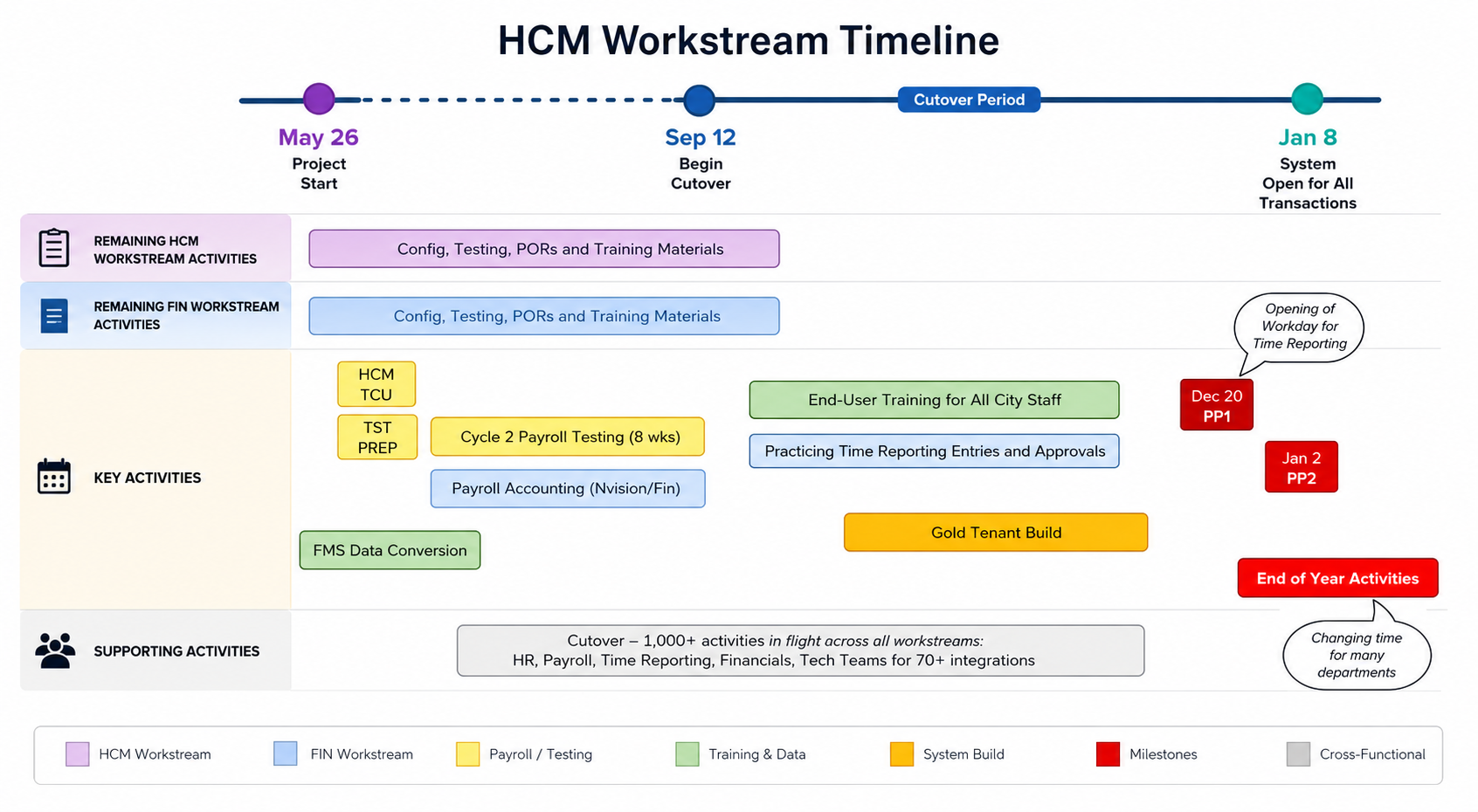
Timeline Details
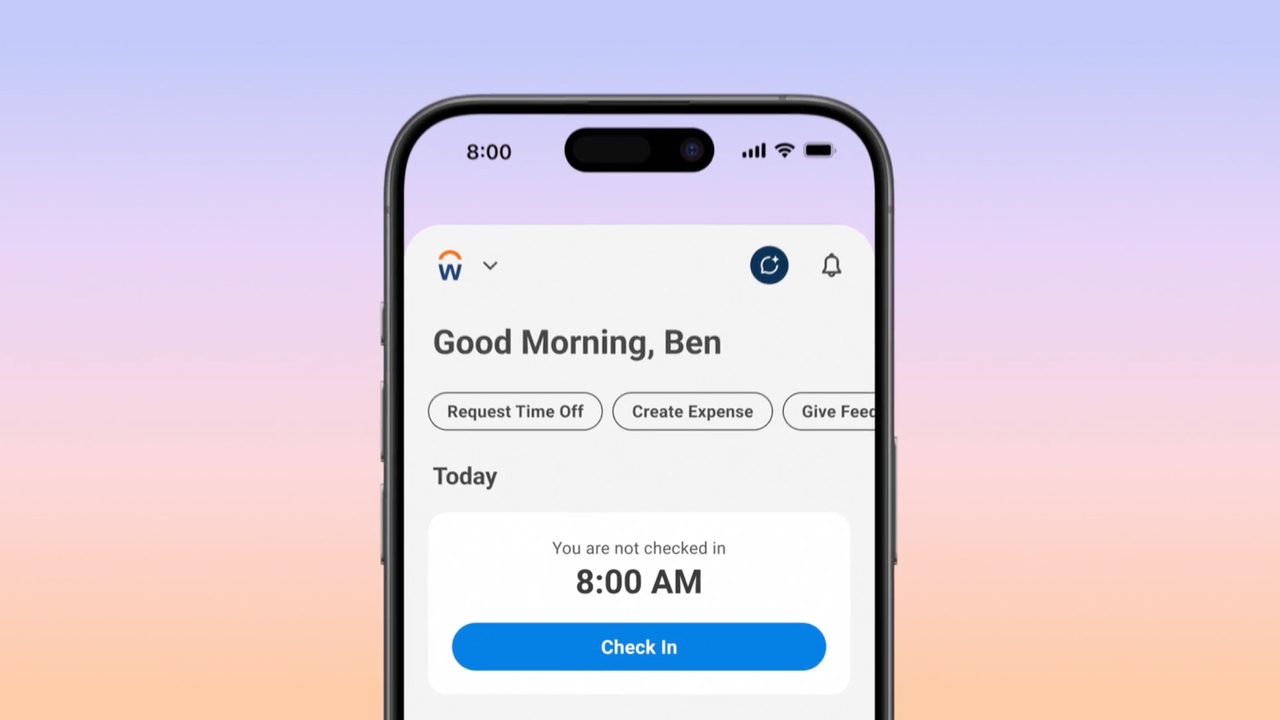
Get the Workday App
Unlock the power of Workday on the go with our easy-to-follow mobile app installation instructions! Whether you're a new user or looking to upgrade your mobile experience, our step-by-step guide will ensure you have everything you need to get started quickly and effortlessly. Stay connected, manage tasks, and access important information anytime, anywhere. Dive in now and take your Workday experience mobile!
Architecture and Configure
-
Iterative Design and Configuration:
- Milwaukee project team and Accenture conduct workshops, gather configuration and data conversion data, load tenants, and design, configure, and build integrations and reports.
- Playback sessions review key configurations after each workset.
-
Project Planning and Documentation:
- Finalize project planning documents.
- Execute Customer Confirmation sessions and unit testing.
- Develop end-user training strategy and complete test preparation.
-
Reporting and Analytics:
- Review and revise reporting inventory based on workshops.
- Support fit-gap activities against standard reports and identify custom report development needs.
-
Change Strategy and Impact Analysis:
- Finalize change strategy and timeline.
- Document high-level impacts for each stakeholder group identified in the Plan stage.
-
End-to-End Build and Readiness:
- Build end-to-end tenant for testing based on architect documents.
- Create test scenario documents, address design questions, and gather performance volume metrics.
- Conduct operational readiness assessment and finalize delivery assurance checkpoints.
-
Stage Sign-Off:
- Complete stage sign-off.
Workday Test Phase
Test Activities
The Test stage of a Workday deployment ensures the configured Workday system sufficiently meets the needs of Milwaukee’s business. Each test effort has a different set of conditions and a different purpose. The agreed-upon exit criteria for each test effort must be met to move forward toward a go-live. Each of these test efforts is described below. Training materials are also finalized during the Test stage.
The test stage may also afford the opportunity to engage subject matter experts or other City employees outside of the project team. Select members of the City may be invited to assist with testing opportunities.
Detailed descriptions:
- End to End Testing: An end-to-end test of Milwaukee’s business transactions and integrations within the Workday service. Test includes functionality and integrations identified in the project scope section of this document. Workday will provide standard test scenarios and Milwaukee and Accenture work together to tailor scenarios to our needs.
- Parallel Tenant Build: A final tenant build (required for payroll parallel testing) which is built based upon the feedback from the E2E testing results. Once the tenant is built validation and smoke testing will occur. These short tests ensure all key functional areas are working correctly.
- Production Dress Rehearsal: A confirmation exercise of the readiness of people, processes and tools to make the successful transition to Workday. Also, prepares and confirms Milwaukee has established a production governance and engagement model, and is prepared to support Workday and end users are ready.
- Cutover Plan: Plan the cutover from legacy applications to the Workday service, including overall planning, production support and detailed checklist. The cutover plan includes timeline of activities, tenant information, roles and responsibilities, logistics, and communications.
- End User Training Materials: Accenture and Milwaukee develop end-user training materials tailored to Milwaukee’s specific Workday architecture and business processes. While training development will start before PDR, it is recommended that Milwaukee use the outcomes of PDR to validate their training materials are accurate and user friendly.
Deploy
TBD
AMS
TBD
The City of Milwaukee’s vision for the Workday implementation is to streamline HCM and Finance business operations through the integration of standardized leading business processes, delivering a seamless user experience, and harnessing the power of advanced reporting and data analytics.
We aim to leverage a modern system that will help us to be self-sufficient, innovative, and adapt to the needs of the City while improving operations and services.
Common Questions
What is Workday?
Workday is a state-of-the-art cloud-based solution that will replace many of our current manual processes. It manages HR, Payroll, Financials, Recruiting, and Talent/Performance data and will allow for faster and better access to data.
Why Workday for Milwaukee?
We need a system where employees act more like partners than just administrators. Workday will help us concentrate on strategic activities, empowering our teams with data to make better business decisions.
My staff doesn’t have access to computers, how will they access Workday?
We will ensure that when needed, all employees will have access to Workday.
What is the go-live date for the Workday project?
The go-live date for all HCM (Human Capital Management, or HR) and Finance applications associated with the Workday Project is June 8, 2026.
Will I complete my day-to-day work in Workday?
Employees whose daily tasks involve HR or Finance will use Workday for their work. Others will not typically use Workday for their daily tasks. All employees have access to self-service features (e.g., updating benefits, addresses, and phone numbers) and are expected to use them.
My daily job doesn’t require me to complete tasks in Workday, when will I need to use Workday?
You will use Workday to submit time, request absence, update personal information, view payslips, manage tax elections, etc.
Can you delegate responsibilities in Workday?
Yes, Workday can be configured to allow users to delegate certain processes to other people on their behalf to accommodate time off, vacations, etc.
Does Workday have audit capabilities?
Yes. Workday always tracks who is doing what within the system.
Acronyms
| Acronym | Definition |
|---|---|
| ACN | Accenture – Your implementation partner for Workday within your organization. |
| ABS | Absence – A Workday product for managing time not worked. |
| BEN | Benefits – A Workday product for managing employee benefits. |
| BPA | Business Process Alignment – Aligns your organization’s processes with Workday's standard business processes. |
| CM | Change Management – Methodology to boost Workday adoption by preparing employees with the necessary support and skills. |
| DITL | Day in the Life – Workshops that review key business processes used by your organization. |
| EIB | Enterprise Interface Builder – Tool for loading large volumes of information into Workday. |
| EM | Engagement Manager – Your liaison between Accenture and your organization. |
| FDM | Foundation Data Model – Used by Workday to set up a system similar to a chart of accounts. |
| FIN | Financials – A Workday product for financial management. |
| HCM | Human Capital Management – A Workday product for managing your workforce. |
| Jira | Software development tool used by Accenture and Workday to track issues, defects, and enhancements. TAPP is based on Jira. |
| LMS | Learning Management System – A Workday product for managing training and learning modules. Integrates with third-party vendors like Skillsoft, LinkedIn Learning, Harvard Manage Mentor, and YouTube. |
| PACT Assessment | Polarity Approach to Continuity and Transformation assessment – Helps understand employee perspectives on change. |
| PII | Personal Identifiable Information – Data that can identify an individual, such as name, address, or social security number. |
| PM | Project Manager – Leads the Workday project, with one PM from your organization and one from Accenture working collaboratively. |
| PMO | Project Management Office – Accenture’s office responsible for all Workday projects. |
| PR | Payroll – A Workday product for managing payroll information. |
| PTO | Paid Time Off – Time employees can take off and still be paid. |
| SaaS | Software as a Service – A subscription-based software model accessed over the internet, rather than installed on individual PCs. |
| sFTP | Secure File Transfer Protocol – An encrypted method for transferring sensitive data between your organization and the Workday project team. |
| SOW | Statement of Work – A document detailing the project scope, assumptions, payment, deliverables, and approaches. |
| TAPP | The Accenture Project Portal – An online space for storing project documentation, meeting notes, tasks, and timelines. Access is provided at the project’s start. |
| TT | Time Tracking – A Workday product for managing time tracking within your organization. |
| WBPO | Workday Business Process Overview – Workshops to review how your business processes will integrate with Workday. |
| WD | Workday – Human Capital and Financial Management software. A video titled “What is Workday” is available in the Workday Adoption Kit. |
Feel free to reach out if you have any more questions or need further clarification!
Will everyone have to use the work Schedule Calendar? What if it doesn’t work for your Department?
Accenture confirmed that a calendar is needed for all employees. This will be discussed in detail during the Time Tracking design sessions in October 2024.
If a group indicates it "doesn't work", discussions will occur to understand why it may not work for a given department.
Workday Change Ambassador Network (CAN)
The Change Ambassador Network (CAN) is a friendly and proactive community of staff members from the City of Milwaukee committed to supporting our transition to Workday from PeopleSoft, our Human Resources, Payroll, and Finance system. As a grassroots team, Change Ambassadors are vital in promoting open communication between departments and the Destination Workday project team.
These amazing Change Ambassadors are at the forefront of understanding the new business processes, policies, and system changes that come with our Workday implementation. They are here to help their colleagues get ready for and embrace the upcoming changes!
CAN is all about helping employees stay informed and ready to use Workday in their everyday jobs. Change Ambassadors make a big difference in this exciting journey by enhancing collaboration and promoting a culture of adaptability. They dedicate just 2-3 hours each month to ensure the success of the Workday initiative.
Launched in August 2024, the Change Ambassador Network will continue to be a valuable resource throughout the entire implementation process. We're excited to have you on this journey with us!
Connect With Your Department's Change Champion
Assessor's Office
Emmeline Tomtschik
Common Council - City Clerk
Renate M. Hense
Maggie Turner
Deferred Compensation Plan
Kimberly Kuehn
Department of Administration
Zachary Allen
Chris Blaha
Nathaniel Haack
Markiesha Henderson
Diane Lopez
Jill Price
Ted Protasiewicz
Ann Scaglione
Joe Siler
Department of City Development
Vanessa A. Armstrong
David Schroeder
Department of Emergency Communications
Matthew Malcom
Donnell Rushing
John Whitman
Megan Hart
Tristan Brodie
Department of Employee Relations
Jennifer Zillmer
Department of Public Works
Nicole Anderson
Terry Ignatowski
Anita Martinez
Aaron Saeugling
Lisa Sommer
Thomas Woznick
Fire & Police Commission
Nicole Fleck
Mayor's Office
Patty Doll
Milwaukee Fire Department
Lisa Marchese
Bethany Julson
Milwaukee Health Department
Rebecca Andersen
Maggie Benson
Lauren Berger
Sarah Wallisch
Milwaukee Public Library
Molly Fonk
Naomi Kraut
Jerod Reetz
Municipal Court
Anne Stibor
Nuducha Yang
Office of the City Attorney
Tawauna Swanigan
Mary Schanning
Office of the Comptroller
Terri Spidell
Lisa Garza
Office of the City Treasurer
Catherine Bono
Cara DiMonte
Samantha Jackson
Erika Martinez
Pa la Yang
Port Milwaukee
Selena Cole
Join Workday Community
WORKDAY COMMUNITY is the area where customers connect with each other and also obtain more information about a specific functional area. Members leverage Workday Community to share ideas and best practices through a variety of collaboration tools, including contributed solutions, forums, and user groups. And when customers have ideas for product enhancements, Workday Community is the forum to post those ideas as “brainstorms” (many of which have resulted in updated functionality in the Workday product).

Workday Implementation Feedback
We value your input!
Please share your thoughts on the recent Workday implementation to help us improve and ensure a smoother experience for everyone.